Camera control
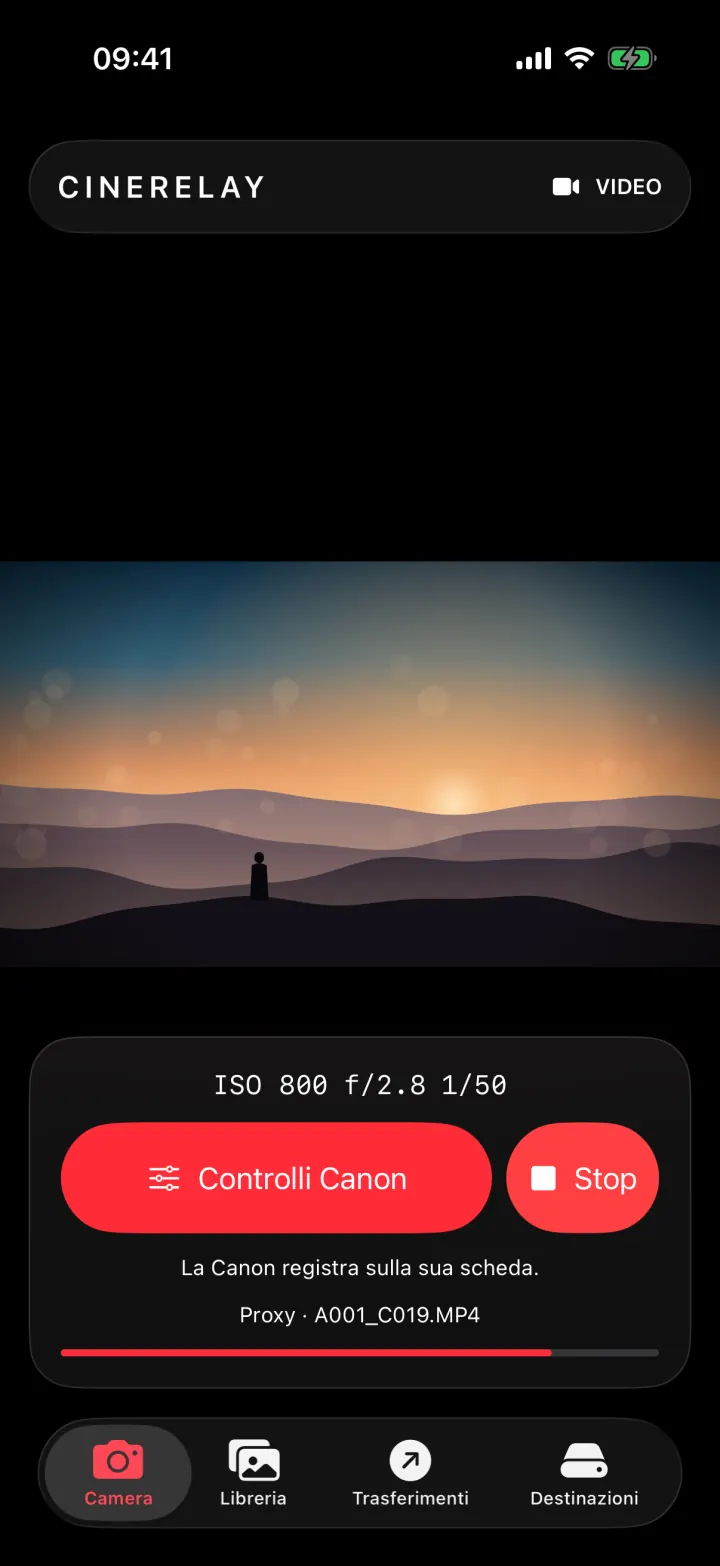
Full-screen live view and the settings you actually use, wherever the camera is rigged: on a gimbal, on a jib, high up on a tripod.
Coming soon to the App Store and Google Play · 7 days free
Control your camera over USB-C, review clips on your phone and let CineRelay upload them to your storage while you are still on set.
How it works
One USB-C cable between camera and phone. CineRelay recognises the camera body and opens live view.
ISO, aperture, shutter, white balance, focus and REC, right from your phone.
Clips and photos from the camera, or from an SD card reader via the Files app, land in the library with lightweight proxies you can review straight away.
Uploads start on their own to your Drive, Dropbox or FTP and pick up again whenever the connection returns.
Inside the app
These are real CineRelay screens: Camera, Library, Transfers and Destinations.
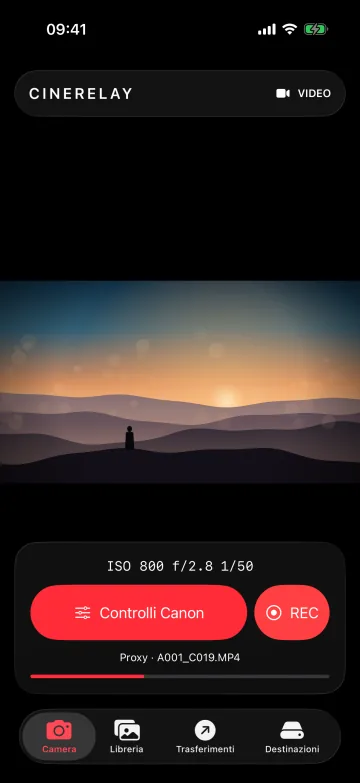
Full-screen live view, exposure always in sight and REC right under your thumb.
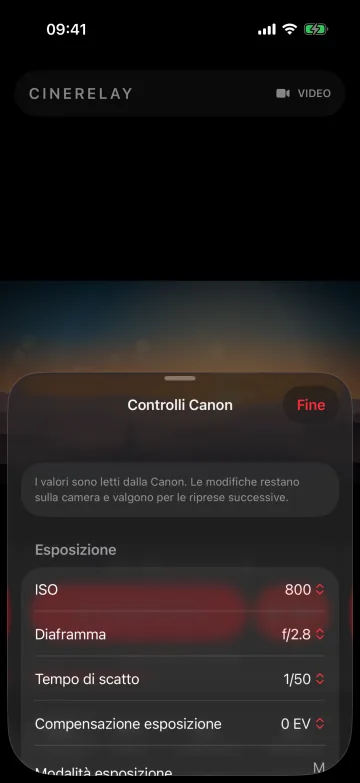
Values come straight from the camera, and every change is applied on the camera.
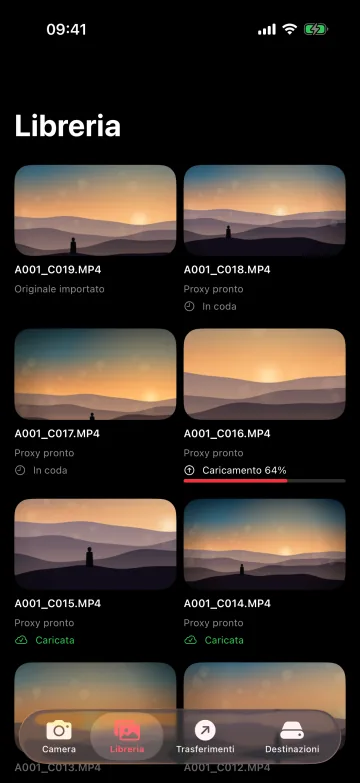
Every clip with its proxy and upload status, offline too.
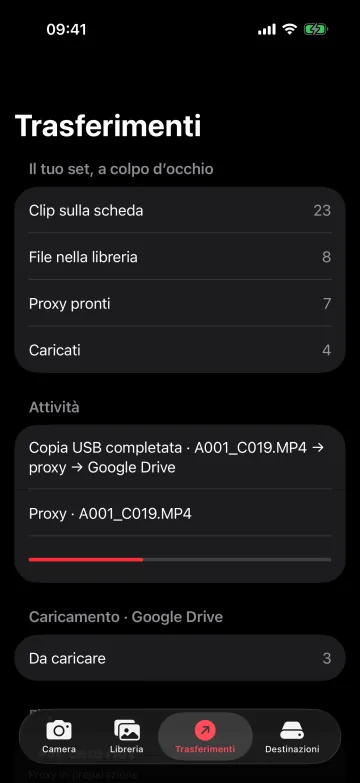
Your set at a glance: what is on the card, what is ready, what is already on its way.
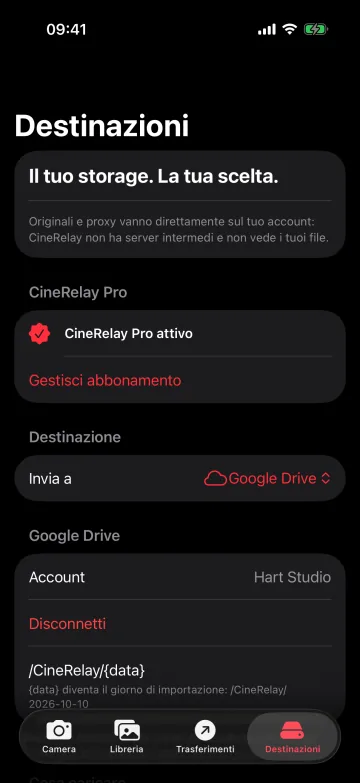
Pick Drive, Dropbox or FTP and a folder: CineRelay adds the date for you.
Features
Full-screen live view and the settings you actually use, wherever the camera is rigged: on a gimbal, on a jib, high up on a tripod.
Start and stop recording and take photos from your phone, with the camera right where you need it.
Import clips and photos from the camera or from an SD card reader via the Files app. Neatly organised, easy to browse, available offline.
Review your footage on the spot with lightweight versions. The originals stay intact, ready for the edit.
A queue that runs by itself and picks up after every interruption. With the Wi-Fi only option you save your mobile data.
From your phone to your Drive, Dropbox or FTP server, by the shortest route. Your footage always stays yours alone.
Destinations
Connect your account once, choose the project folder and CineRelay takes care of the rest. Your client or editor finds the clips exactly where they expect them.
Compatibility
We mark a model as verified only once we have tested it in the field. Your phone controls the camera and creates the proxies before uploading: you need an iPhone with a USB-C port (iPhone 15 and later) running iOS 18 or later, or an Android 8.0+ phone with USB host (OTG).
| Device | Connection | Live view and controls | Import | Status |
|---|---|---|---|---|
| Canon EOS R6 Mark II | USB-C | Yes | Yes | Verified |
| SD card reader (USB-C) | USB-C, via the Files app | — | Yes | Supported |
| Other Canon cameras | USB-C | In testing | In testing | Coming soon |
| Nikon, Sony and other brands | USB-C | Planned | Planned | Coming soon |
First verified camera: Canon EOS R6 Mark II. More cameras and more brands (Nikon, Sony and others) are coming, one at a time. The Compatibility page has the up-to-date list, with iPhones and Android phones, cables and the storage space you need. Using another camera? Tell us in the form at the bottom of the page and help us pick the next one.
Pricing
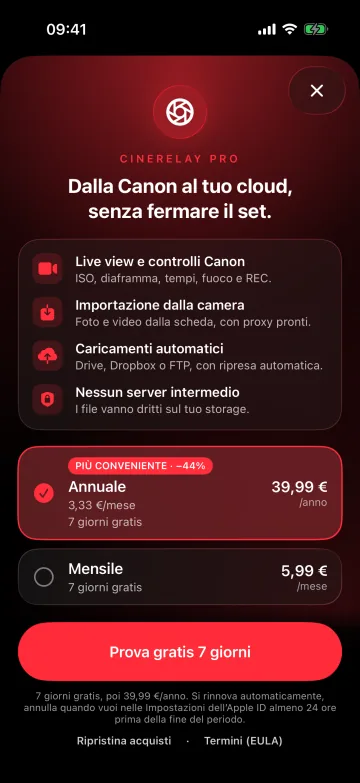
CineRelay is free to download. CineRelay Pro unlocks camera control and uploads, with a 7-day free trial: right here on the website by card, or in the app through the App Store or Google Play.
Free
€0
Get to know the app and review footage you have already imported.
7 days free
For filmmakers who shoot and deliver from set.
Yearly
€39.99/year
about €3.33 a month
Monthly
€5.99/month
Cancel anytime
Prefer to pay in the app? CineRelay Pro is also available as an in-app purchase on the App Store and Google Play, with the same 7-day trial.
Prices for Italy, VAT included. App Store and Google Play prices vary by country and are always shown before you buy. Full details in the Terms.
FAQ
First verified camera: Canon EOS R6 Mark II, connected over USB-C. More cameras and more brands (Nikon, Sony and others) are coming one at a time, each one tested in the field: the up-to-date list is on the Compatibility page.
Yes, from an SD card reader via the Files app: plug a USB-C SD card reader into your phone, the card shows up in the Files app (on iPhone) or in the file manager (on Android), and from there you import photos and videos into CineRelay, with proxies and uploads just like from the camera.
An iPhone with a USB-C port (iPhone 15 and later) running iOS 18 or later, or an Android 8.0+ phone with USB-C and USB host (OTG): the camera and SD card reader connect by cable and the proxies are created on the phone. With a USB 3 phone (such as the iPhone Pro models) and a USB 3 cable, copying from the camera is faster. Every model is listed on the Compatibility page.
For free you can explore the app, browse and play files you have already imported and check that your camera is detected. CineRelay Pro unlocks camera live view and controls (REC and stills), import from the camera and from Files or an SD card reader, and automatic uploads to Google Drive, Dropbox or FTP.
€39.99 a year (about €3.33 a month) or €5.99 a month, VAT included, prices for Italy. Both plans come with a 7-day free trial for new subscribers. App Store and Google Play prices vary by country and are shown before you buy. You can subscribe here on the website or in the app.
It depends on where you bought it. On the website: Account › “Manage subscription”. On the App Store: Settings › [your name] › Subscriptions on your iPhone. On Google Play: Play Store › Payments & subscriptions. The subscription renews automatically: to stop it, cancel before the end of the period (on the App Store at least 24 hours before). If you cancel during the trial, you pay €0.
Open CineRelay on your phone, iPhone or Android, and sign in with the same email you used on the website: Pro is already active, with the same subscription.
Straight to your own storage: files travel from your phone to your Google Drive, Dropbox or FTP server. Your footage lives only on your phone and in your storage. Your CineRelay account holds just your email and your subscription status.
The transfer picks up where it left off as soon as the network is back. With the Wi-Fi only option, uploads start as soon as you find a Wi-Fi network and your mobile data stays free.
Camera control runs over the USB-C cable: it is the most stable connection and the one we have verified. Uploads use your phone’s own connection.
Yes: CineRelay launches on iPhone and Android together, with the same Pro subscription on both. On Android you need a phone with USB-C and USB host: requirements and recommended models are on the Compatibility page.
Hart Studio, a video production studio in Italy. We built it for our own work on set: by filmmakers, for filmmakers.

Leave your email and we will write to you on launch day. Just one email, the one you are waiting for.
Thank you, talk soon at launch. We will write to you when CineRelay is on the App Store and Google Play.
We will use your email only to tell you about the CineRelay launch. You can ask us to delete it at any time. Privacy